
Writing a book is less like typing a long document and more like managing a living system. Scenes move. A character's reason for leaving changes. A note made in chapter three suddenly affects the ending. The right writing environment keeps those moving parts close without turning creativity into project administration.
That is why “best” cannot mean “most features.” The useful question is simpler: which tool removes friction from the way you actually write and still gives you control of your work?
Start with your real writing process
Before comparing apps, sketch your workflow. Do you draft in order or jump between scenes? Are you writing one novel or several books? Will beta readers comment on the manuscript? Do you need print-ready pages, an ebook, or a file for an editor? A first-time novelist may need gentle structure, while a series author may care more about a searchable story bible and reliable continuity.
If you are still shaping the project itself, begin with our first-book guide. Software becomes much easier to evaluate once you know the next milestone.
Seven capabilities worth paying attention to
A book-shaped workspace
A manuscript should be easy to scan by part, chapter and scene. Dragging a scene to a new position ought to be safer than cutting thirty pages from one giant file. Status labels, word counts and chapter summaries are useful when they clarify progress rather than create extra chores.
Planning that remains optional
Plot tools should support discovery writers as well as detailed outliners. Look for flexible cards, timelines, notes and character profiles. Avoid software that makes one story formula feel mandatory.
Revision in context
Good revision tools let you flag a passage, compare feedback and resolve comments without losing the sentence being discussed. A spelling checker alone does not manage a structural edit. You also need to see which chapters are ready and which still contain open decisions.
Safe collaboration
If other people will read the draft, check what they can access. A beta reader usually needs read-and-comment permission for one book, not a key to your entire account. Clear roles are more valuable than a generic share link.
Dependable ownership and export
Your manuscript must remain yours. Test DOCX, PDF and EPUB output where relevant, and confirm that you can retrieve a complete copy without keeping a subscription forever. Open the exported files instead of trusting the download button.
Formatting for the destination
Print and ebook editions have different needs. A print workflow must account for trim size, margins, typography and chapter starts. An ebook needs adaptable rather than fixed pages. Software that understands those destinations prevents unpleasant surprises late in production.
A calm editor
Writers spend hundreds of hours in the editor. Keyboard behaviour, focus mode, readability and fast navigation matter more than an impressive dashboard you visit once a week.
A ten-minute test that reveals more than a feature table
- Import two genuine chapters, including italics and scene breaks.
- Create one character note and link it to a scene.
- Move a chapter and check that navigation still makes sense.
- Add a comment as if it came from a reader.
- Export the book and inspect the resulting file page by page.
Notice how quickly you can return to the exact place you were working. The best app is often the one that preserves your mental context.
How ManuBook approaches the job
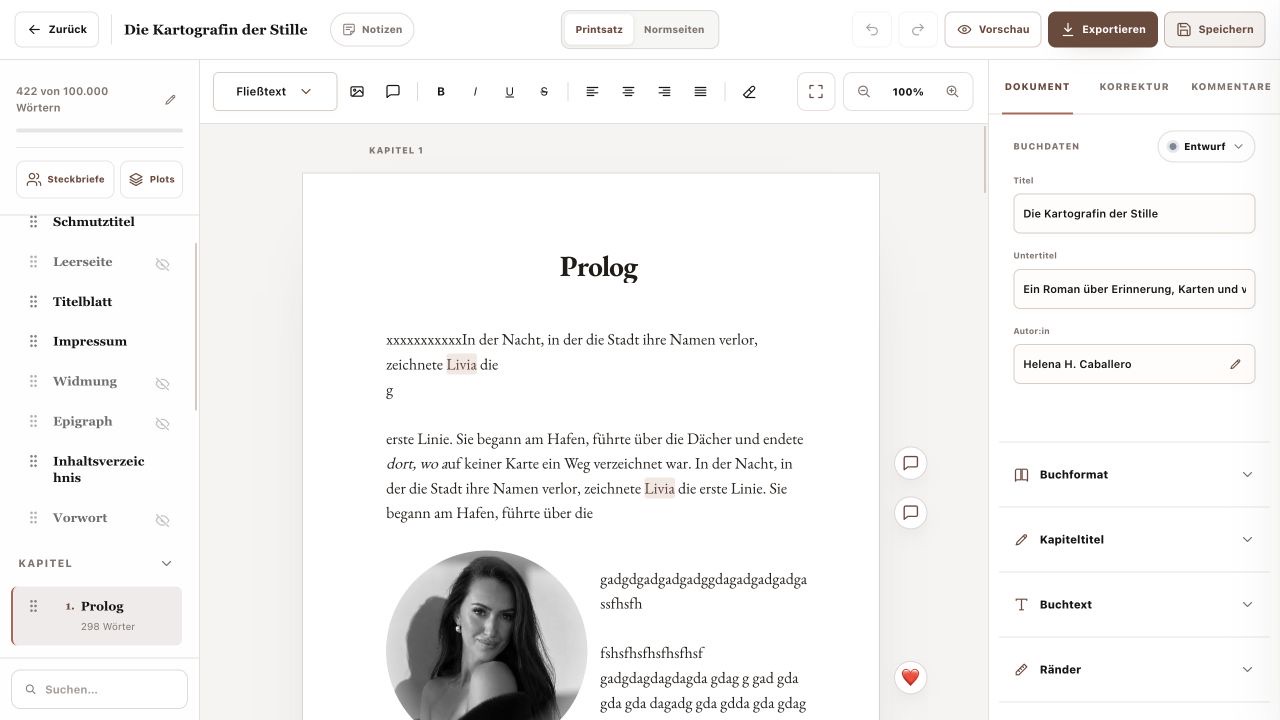
ManuBook keeps drafting, plot and character planning, beta-reader comments, cover work and book output in one author workspace. You can start a new project or bring in an existing manuscript. The tools are designed to organise your writing rather than generate a substitute for it.
Choose for the next full book, not the next five minutes
A blank page looks similar everywhere. The differences appear after fifty chapters, two revision rounds and a looming publication date. Choose software that stays understandable at that point, protects your content and produces files you can trust. That is the kind of “best” that still matters when the manuscript is finished.
A field test for writing software—not a feature-list contest
Most apps look capable while the project is empty. The useful test begins when the manuscript is slightly inconvenient: a late chapter belongs near the opening, two character notes disagree, one beta comment is unresolved, and the export deadline is tomorrow. Create that situation deliberately. You are measuring recovery time and error risk, not visual polish.
| Moment | What to do | Evidence the tool is helping |
|---|---|---|
| Return | Reopen the novel after a long weekend. | You can identify the active chapter and unresolved work without reconstructing your memory. |
| Reorder | Move a scene across two chapters. | Nothing is duplicated, orphaned or silently omitted from export. |
| Review | Invite one reader and resolve a note. | Permissions are narrow and the discussion stays attached to the passage. |
| Exit | Export the complete book. | A different application opens a coherent, editable or production-ready file. |
Score the boring things twice
Give each category zero, one or two points, then double the scores for ownership, backup and export. This corrects a common buying mistake: exciting planning boards are easy to notice, while reliable recovery is valuable precisely because it is uneventful. Record any repair time. Ten minutes of cleanup per chapter becomes more than eight hours across fifty chapters.
When ManuBook is a sensible fit
ManuBook is aimed at writers who want drafting, flexible plotting, character relationships, beta-reader comments, print design, cover work and output in one book-shaped workspace. That breadth is useful when hand-offs between separate tools are the main source of mistakes. If you only need a distraction-free plain-text window, a smaller tool may be the more honest choice.
Questions worth asking before you migrate a book
Should I move a nearly finished manuscript?
Only after a round-trip test. Import a copy, export it again and compare headings, emphasis, scene breaks and chapter order before moving the working master.
Does offline automatically mean safer?
No. Offline work reduces some dependencies but makes your own backup discipline decisive. Safety comes from recoverable copies, controlled access and tested exports.
How long should an evaluation take?
One focused session can rule out poor fits. A week with a copied real project is better for judging navigation, fatigue and return-to-context time.